

Modern task and project management for teams. Beautifully designed. Blazing fast. Hyper collaborative. For customer support → @getflowhelp
- Tweets 3,940
- Following 717
- Followers 3,471
- Likes 578

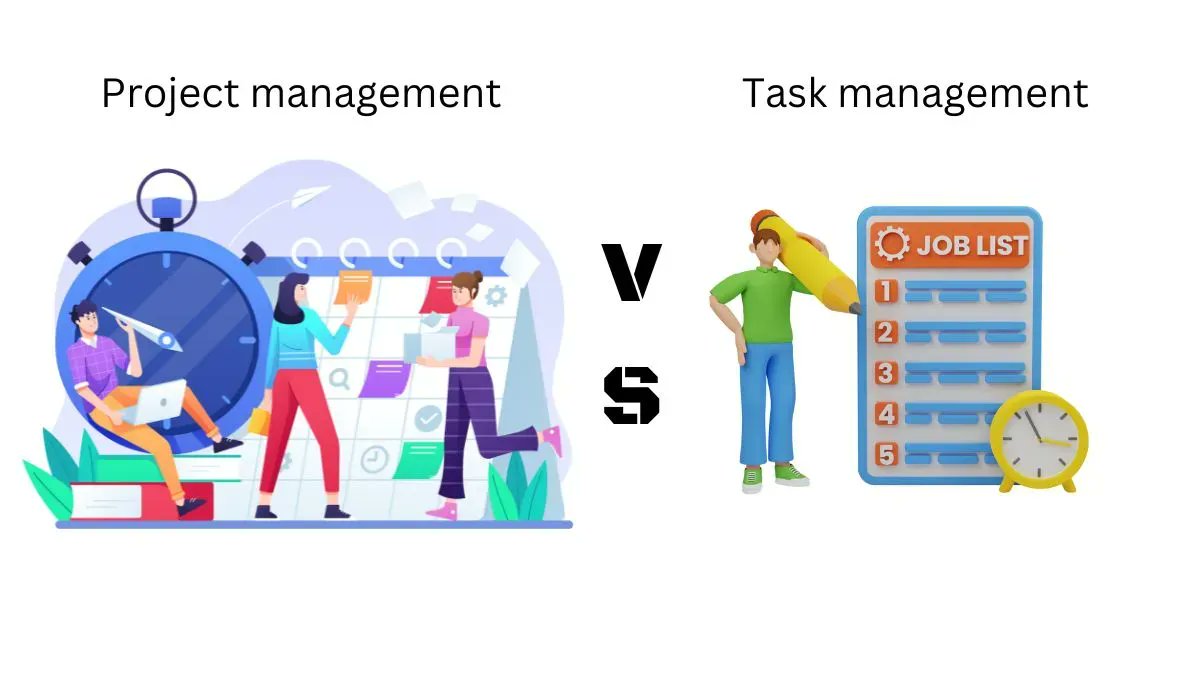
Did you know that while most people use project management and task management interchangeably, task management is a part of project management?
Read on to understand how project management and task management differ.
buff.ly/3SAfglv
1
Product management and project management are interchangeably used, but they are quite distinctive in understanding and practice. Here's what makes them different. buff.ly/3CSqcFp

An ideal project plan will cover every aspect, including communication with various stakeholders, risk management, and even resource management. Learn how to do proper project planning:
buff.ly/3gmpJnm

1
1
Here's why planning a project’s timeline is the deciding factor of whether or not it is going to be a success
buff.ly/3exAYc1


Task Comments📝
Share updates and files, ask questions, mention teammates, and react with an emoji.
All conversations are streamlined and easy to find in future.

2
Sorting & Filtering
Find exactly what you’re looking for with powerful sorting and filtering of task lists and project boards.


Notes & Attachments📝
Get your project started by adding helpful notes, attaching files, and setting a due date and time.

1
Remote Work in times of Covid-19 restrictions is all work & no fun.
But that's not the true face of #remotework.
In normal times, it offers you the freedom to work from anywhere, yes even beachside!!⛱️

2
Project colors & icons🔵
Customize the appearance of projects by picking the perfect color and icon for it.
Helps give a different feel to each project & makes it easier to differentiate between projects.

1
Project Schedules📅
See a weekly or monthly schedule for any project, straight from the project details view.

1
Within Flow, you can create:
◻️Public projects - visible to everyone in team
◻️Private Projects- only visible to select people
This allows you to control the privacy of any project.

2
Happy Monday! We're excited to officially introduce Task Statuses: a way to more accurately reflect what state a task is in from moment to moment 👀 Read more about this new feature on our blog: getflow.com/blog/introducing…

4
Check out our round-up of what's new in Flow! 🚀 Since December, we've shipped a few new features and improvements including inline editing, Flow Solo, and a toggle for task metadata. Read the full details here: getflow.com/blog/product-upd…

1
We’re super excited to announce the launch of Flow Solo, a brand new version of Flow specifically for individuals! 🎉 Read all about this new addition to our plan roster and get some insight into how we got here on our blog: getflow.com/blog/introducing…

In early 2019, we set out to reimagine Flow. After 18 months in development, including 6 months of beta testing, we’re excited to share that Flow X is launching later this month! Check out the official announcement on our blog for more details 👇
getflow.com/.../flow-x-is-la…

6
11
To celebrate our recent launch of Flow X Beta, our team got together today for a remote gift unboxing and emoji themed Skribbl game 🎉 Huge thanks to @rogerschocolates for the tasty treats! 🍫

3
In the last few years, we've learned a thing or two about communicating as a remote team, but that's not to say it hasn't had its challenges. So to help other teams improve, we've pulled together a list of our top remote communication tips. Read them here: buff.ly/37jUUXz

1

This week, our CEO, @DanielScrivner, joined @NeilCHughes on his podcast to talk thoughtful design, all things Flow, and how he got his start in the world of tech. You can check it out here for some light Friday listening: buff.ly/3fUGsJu
Happy weekend everyone! ☀️

1
In our latest installment of Re:work, we help Wanting Privacy regain control of their office space. Read about their situation, and our tips to fix it here: buff.ly/2A0JDyN

"When collaboration tools fall short, your communication and efficiency suffer."
Read more on adopting new productivity tools here: buff.ly/3bUzL7P

Introducing Re:work, a new blog series where we tackle tough issues that arise when working as a team.
This week we help "Missing the Office" get better set up for a productive, and stress free remote work life:
buff.ly/35plltS
Held our first #lunchandgame today, and it was a great success! 🤩
How does your #remote team stay connected, and have fun together?

4
Trying to decide if a PM tool is the right choice for your team? We help make that decision easier. buff.ly/3bplXSH #projectmanagement #remotework

1
Struggling to choose a PM tool for your creative team? Check out our latest blog post for tips to help you decide:
buff.ly/3ahaqDF

1

If your team has recently switched to working remotely, and needs a bit of help, we've got you covered! In our latest blog post, we're sharing 7 tips that have helped us excel as a remote team.
buff.ly/2ITyOQu

1
We’re introducing new plans and pricing across the board. Teams will soon have 3 plans to choose from: Basic, Plus, and Pro. We’re lowering our prices for individuals using Flow Solo.

1
2
We’ve also been hard at work on an evolved look for Flow. We’ll be rolling that out over the next few months and we’re excited to share the story behind the rebrand with you.

1
3
Flow X — We started from scratch to build a faster, simpler, more powerful version of Flow. This update contains tons of improvements and dozens of new features, including the ability to add due times to tasks, set priority for tasks, and mark tasks as in progress or cancelled.

2
8


We're looking for a Principal Engineer to join our remote-first team. 🎉
If you're an experienced tech lead that wants to work with a team that values uniqueness and collaboration, check out our posting and apply: buff.ly/37MCGgW

1
Struggling with work-life balance? Join the club! Or better yet, read our latest blog post, Unplugging for the Holidays. We offer some tips to help you get that balance just right over the holidays.
buff.ly/2S9Bu1Y

2
Tired of clicking around? Use some of our keyboard shortcuts to speed up your work and cut down on those clicks!
Learn more about them here: buff.ly/2nse6zW

2
2
Check out our latest blog post for 6 tips to take you from an ordinary Flow user to a power user 💪
buff.ly/2ViHKnW

1
1
❌ Pricing tiers are no more ❌
Learn more about our new pay per user billing structure by checking out our help doc here: buff.ly/2ZhMkr2

1
2
At 9pm on a Friday, it's safe to assume your coworkers are all offline 😉
Want to double check? Hover over their image and you'll be shown the new online indicator!

3
✨ Connect Flow with thousands of other apps by using our @zapier integration! 💫
Learn how to get connected here: buff.ly/30G6VSN

3
💥 We now support attaching files via @onedrive ☁️
Check out our help article to learn how: buff.ly/2ZI4VsZ

Did some digging for #ThrowbackThursday! We can't believe how much Flow has changed over the years.


2
4
Our integration with @zapier allows you to connect Flow with thousands of other apps! Learn how to connect your accounts and get started here: buff.ly/30G6VSN

🚨New Integration Alert 🚨 Zapier joins our small but mighty list of integrations. Sign up for it here: buff.ly/328JMd3

One of the things everyone dreads about getting sick 🤧 is figuring out what happened at work while you were in a nyquil coma. When you’re back to work, open Catch-Up to review any new activity all in one place.
1
2
Want to make sure that Chet from Accounting is on track without actually talking to him? Then you’re going to love Team Workload.
Check out this Everything feature for a clear overview of what's on their plate. Organize by user, team or project and more! buff.ly/2Zo9nMY

1
1
We’re big fans of @Slack! Check out our integration to get project updates right in your Slack channels, and easily capture Flow tasks straight from Slack.
buff.ly/2ZmE4Cb

1
1
🌈 Use Project Colours for a fun and colourful way to illustrate project priority, clarify project department, or identify project type. 🌈
Which one is your favourite?
1
Flow isn't just for work! You can use us to organize your personal life too.
Try using Private Tasks to plan things you need to do in your off time, like picking up dry cleaning 👔 or making that overdue call to your grandma. You know she'd really love to hear from you. 📞👵🏽
1
3
🚨Creating multiple tasks just got a heck of a lot easier! 🚨
Copy and paste multiple lines of text into the quick task form to immediately create several tasks at once.
1
3
Check out our What’s New section in the app for updates on what we’re building, what’s being fixed, and what’s coming next! Just click the gift box icon in the top right to view the most recent updates ✨

1
We're hiring! 💥 Check out our recent feature on remotewise.io to learn more about our team and our current openings: buff.ly/2XW2MJ4

1
1
Our new and improved visual editor is live! 🎉 Head to your account preferences to turn it on, then dive right into simple and easy formatting of project notes, comments, and task notes.
3
6
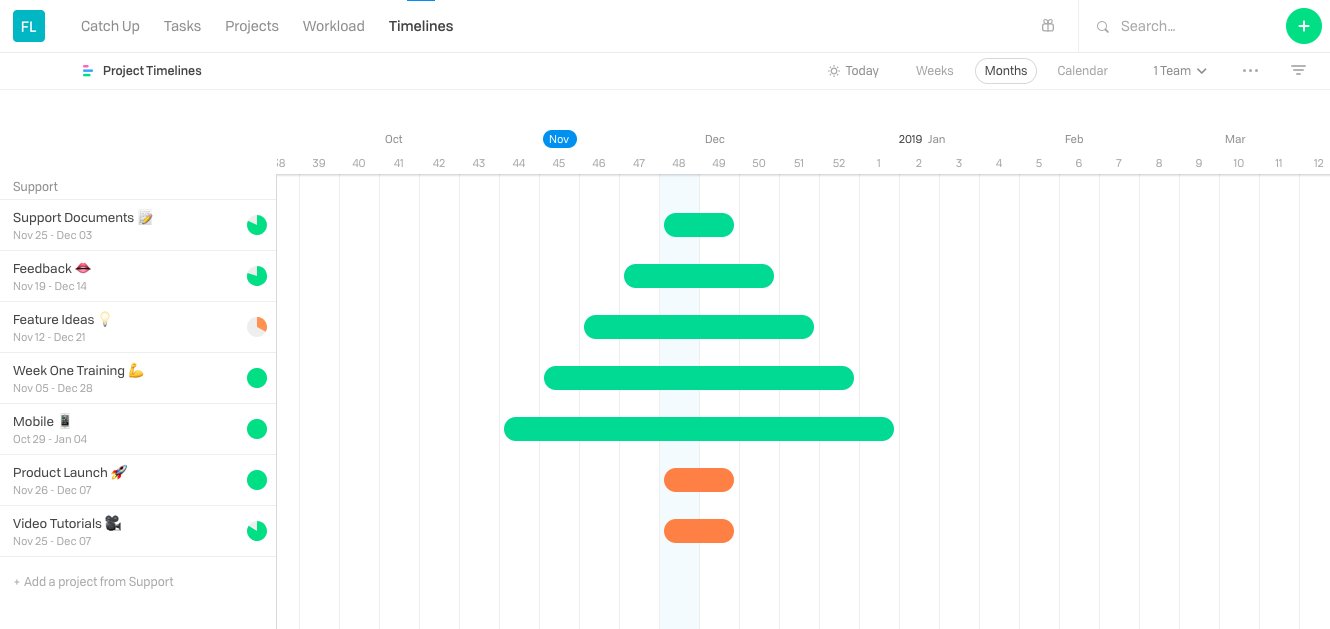
December is a hard month to be productive with people away on holiday and vacation on the brain. To keep an eye on what projects are due before the New Year, check out our Project Timelines feature. 🎄
3
Want to add a quick comment to an activity in your Catch-Up feed? No problem! Post, edit, and like comments, or attach files and complete tasks inline both in the “Catch Up” and Review feed.
buff.ly/2JNM0pz

1
With holidays 🎁 on the brain, tis the season for procrastination! After you’ve ignored important deadlines and left everything until the last minute, check out the Project Schedule to see all the things you need to do before your vacation starts.
buff.ly/2Gq0r5p

1
What does @RyanBonnici, CMO of @G2Crowd and ex-@HubSpot & @Salesforce, have to say about good inbound marketing? Check out our latest instalment of Show Me to find out: buff.ly/2AtomLY

1
4
Asher King Abramson of Bell Curve is coming to the table with 7 lessons to help you improve your company’s growth marketing. Check them out here → buff.ly/2SMu96q

1
In Kanban view, use section names like draft, awaiting approval, and completed, to organize your process. Then drag and drop tasks between them to show their status has changed.
buff.ly/2xi9Fcz

Don’t let your tasks pile up like the dishes in your kitchen; stay on top of things with Catch Up.
buff.ly/2JNM0pz
Class is in session with Bell Curve’s Asher King Abramson. 🏫
Lesson #1: It’s all about getting specific.
Want to learn more? Head here → buff.ly/2SMu96q

Struggling to create content? Not sure how to move forward? Head to our blog to read our latest Show Me post all about what good inbound marketing looks like in 2018: buff.ly/2AtomLY

2
1
In the redesigned Project Schedule view you can drag, drop, and resize tasks to create a visual projects plan.
Read about what else you can do with Task Start Dates and Timelines here: buff.ly/2R2dYAc
3
We’re big fans of @Slack! Check out our integration to get project updates right in your Slack channels, and easily capture Flow tasks straight from Slack buff.ly/2Ddqif8

1